
Doro 1.40 is a program to create .PDF files from any Windows program.
It functions like an additional printer called 'Doro PDF Writer'. When you send the document to print, the driver converts it to PDF Format.
The real work is done by 'GhostScript'. [Which will be installed during setup], like in other PDF converters.
Doro 1.40 allows you to encrypt the resulting .PDF with 128-bit password protection. You can even prevent further 'copy and paste' and printing.
The steps to make a PDF file with Doro 1.40 are very simple: you have to open or make a document with any Windows Application that can produce a printed output (e.g. Word). Once you´ve finished your document, send it to print. Choose "Doro PDF Writer" as your printer and the Doro interface will show up, allowing you to enter the title and description of your resulting PDF, allowing you to encrypt it and letting you choose if you want to open the final PDF with Adobe Reader once it´s finished.
After installation you can also start the 'Doro.exe' executable directly to convert .ps [PostScript] files into .pdf files.

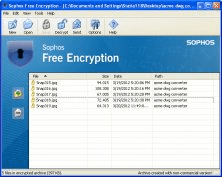

Sophos Free Encryption offers protection by encrypting the data on your PC.


A light-weight, Windows tool to enhance PDF file security by means of encryption












Comments (1)
Essential tool.